If you have shopped for smart home gear in the last two years, you have seen the two logos stamped on the box: Matter and Thread. The marketing tends to blur them into a single buzzword, which is exactly why so many people end up confused when a device pairs but never quite behaves. After wiring up dozens of these in my own house and a few friends' places, I have found the fastest way to build something reliable is to stop treating them as one thing and understand what each actually does.
Matter and Thread Are Not the Same Layer#
The single most useful thing I can tell you is this: Matter is a language, and Thread is a road the language travels on. They get bundled together because they were designed to complement each other, but they solve different problems.
Matter is an application-layer standard. It defines what a device is and how it describes itself, so that a light bulb from one brand and a hub from another can agree that "this is a dimmable light, here is its brightness, here is how you change it." Before Matter, every ecosystem spoke its own dialect, and that is why your old gear needed a specific bridge for HomeKit and a different integration for Google.
Thread is a low-power wireless mesh networking protocol. It handles the transport — getting the message from the device to your network — using the same 802.15.4 radio family that Zigbee uses. It is designed for small, battery-friendly packets, not for streaming video.
Here is the part that trips people up:
- Matter can run over Wi-Fi, Ethernet, or Thread.
- Thread can carry Matter, but it does not have to.
- A device can be Matter over Wi-Fi (like a lot of plugs and cameras) and never touch Thread at all.
So when a sensor works over Thread and speaks Matter, you are getting a low-power mesh radio and a universal language at the same time. That combination is genuinely great. But the two are separable, and knowing which layer is misbehaving is how you fix problems instead of guessing.
Why Thread's Mesh Is the Quiet Hero#
Wi-Fi is a hub-and-spoke system. Every device talks directly back to your router, and battery devices pay a heavy power cost to keep that connection alive. Thread flips this. It builds a self-healing mesh where devices relay for each other.
In practice, this means two categories of Thread device:
- Routers — mains-powered devices (smart plugs, wired switches, some bulbs) that stay awake and forward traffic for their neighbors.
- End devices — battery-powered gear (door sensors, leak sensors, buttons) that sleep most of the time and wake only to report.
The routers form the backbone. The more mains-powered Thread devices you have scattered around, the more paths a packet has to reach the border router, and the more resilient the whole thing gets. When I added two wired Thread switches to opposite ends of a hallway, a flaky battery sensor at the far end of the house simply stopped dropping off — it found a shorter hop.
The trap of an all-battery mesh#
I have watched people buy four Thread contact sensors, pair them, and then complain that the setup feels unreliable. The reason is almost always that they have no routers. Battery end devices do not relay for each other in any meaningful, always-on way. Without at least a couple of mains-powered Thread devices in the mix, your mesh is really just a handful of sleepy nodes all straining to reach one border router. Add a wired device or two and the difference is immediate.
Border Routers: Where Thread Meets Your Home Network#
Thread runs on that 802.15.4 radio, which your phone, laptop, and Wi-Fi router cannot speak. Something has to translate between the Thread mesh and your normal IP network. That something is a Thread Border Router (TBR).
You almost certainly already own one without realizing it. Common border routers include:
- Apple HomePod (the full size and the mini) and Apple TV 4K with Ethernet
- Google Nest Hub (2nd gen) and Nest Wifi Pro
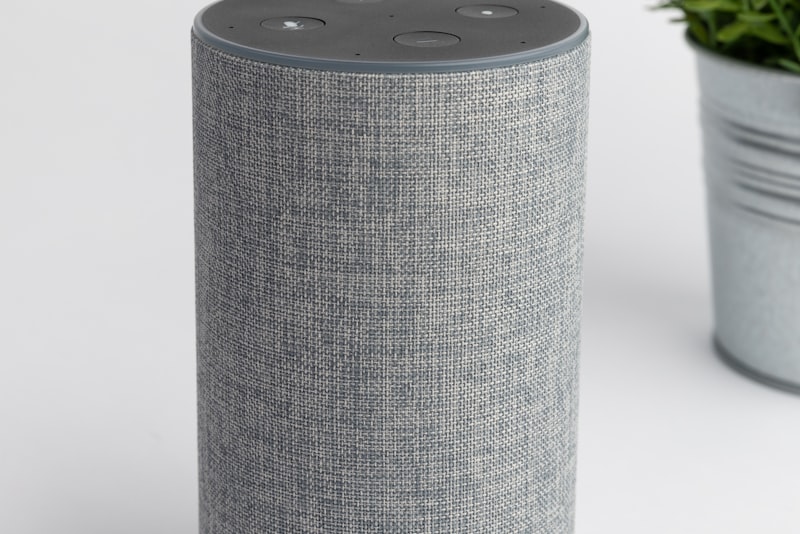
- Amazon Echo (4th gen and several newer models)
- Some dedicated hubs like the SmartThings Station and various Aqara and Eero devices
The border router does the handoff: it takes a Matter message coming off the Thread mesh and puts it onto your Wi-Fi/Ethernet so your controller can act on it, and vice versa.
Having more than one is a feature, not a conflict#
A detail that reassures people once they hear it: multiple border routers on the same network can cooperate. Thanks to a shared credential system, you can run an Apple HomePod and a Google Nest Hub in the same house, and they can participate in the same Thread network rather than fighting over the devices. If one border router goes offline — say you unplug the HomePod to move it — the mesh routes through another one and your sensors keep working.
This was not always smooth, and depending on your ecosystems you can still occasionally end up with two separate Thread networks that don't merge. But the direction of travel is clearly toward one unified mesh with redundant doors into it, and that redundancy is a real reliability win over any single-hub system.
A Realistic Walk Through One Device#
Let me make this concrete with a Thread-based Matter door sensor, because it shows every layer doing its job:
- The magnet separates. The sensor's 802.15.4 radio wakes and sends a tiny packet onto the Thread mesh.
- A nearby mains-powered Thread router — maybe a smart plug two rooms over — relays that packet along.
- The packet reaches a Thread Border Router, which lifts it onto your home Wi-Fi.
- The message is formatted as Matter, so your controller (Apple Home, Google Home, Alexa, or Home Assistant) understands "contact sensor, now open" without a brand-specific integration.
- Your automation fires — hallway light on, or a notification to your phone.
Every one of those steps is a place something can break, and knowing the chain tells you where to look. If the sensor pairs but is laggy, suspect the mesh (not enough routers). If it drops entirely after you moved a hub, suspect the border router. If it reports fine in one app but not another, that is a Matter sharing issue, not a Thread one.
Multi-Admin: One Device, Several Ecosystems#
This is my favorite practical payoff and the thing that finally made Matter feel worth the hype. Matter supports multi-admin, meaning a single device can be controlled by several ecosystems at once.
A real setup I run:
- A Matter light is commissioned first into Apple Home for HomeKit automations and Siri.
- Using a sharing code, that same light is added to Google Home so someone else in the house can use Google Assistant.
- It also lives in Home Assistant, which does the heavy-lifting automations.
No cloud bridge, no duplicated device, no "works with" negotiation. Each controller holds its own credential to the same physical device. If Apple has an outage, Google and Home Assistant still control the light locally. That kind of redundancy simply did not exist in the old world of walled-garden ecosystems.
The caveat worth stating plainly: not every feature travels across every ecosystem. A vendor's fancy color-temperature scene or a specialty mode might only show up in that vendor's own app, while the standard on/off/brightness works everywhere. Matter guarantees the common denominator, not the deluxe extras.
Where This Still Bites You#
I would be doing you a disservice to pretend it is all seamless. The honest rough edges I keep running into:
- Commissioning can be finicky. A device that won't pair is often a Thread credential handshake failing quietly. Rebooting the border router, or bringing the device physically close to it during setup, fixes a surprising amount.
- Firmware maturity varies. Early Matter firmware on some devices was genuinely buggy; updates have helped enormously, so keep devices current.
- Not everything Matter is Thread. Plenty of Matter devices are Wi-Fi only. That is fine, but it means those devices lean on your Wi-Fi network and won't strengthen your Thread mesh at all.
- Ecosystem quirks persist. Which device I commission into first sometimes affects how smoothly sharing works afterward, so I now start with whichever ecosystem I care about most.
None of these are dealbreakers. They are the normal texture of a standard that is still maturing, and it is markedly better than it was even a year ago.
Building It So It Just Works#
If you are starting from scratch, here is the order I would actually follow:
- Get a good border router first. Pick one that matches your primary ecosystem, and ideally have a second one for redundancy.
- Add a couple of mains-powered Thread devices early. Smart plugs or wired switches become your mesh backbone before you scatter battery sensors around.
- Then add the battery devices. With routers in place, sensors and buttons find strong paths and sip power.
- Use multi-admin deliberately. Share devices into the ecosystems you actually use rather than commissioning everything everywhere.
The mental model to keep is simple. Matter is the shared language that lets your devices understand each other, and Thread is the resilient, low-power mesh that carries that language for the small stuff. Get a solid border router, seed the mesh with a few wired relays, and the rest of the system quietly gets more reliable as you grow it — which, honestly, is exactly what a smart home is supposed to do.