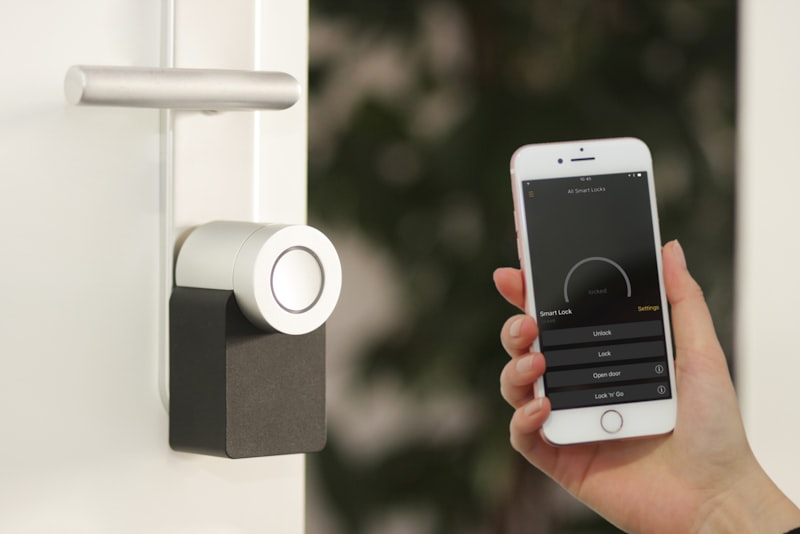
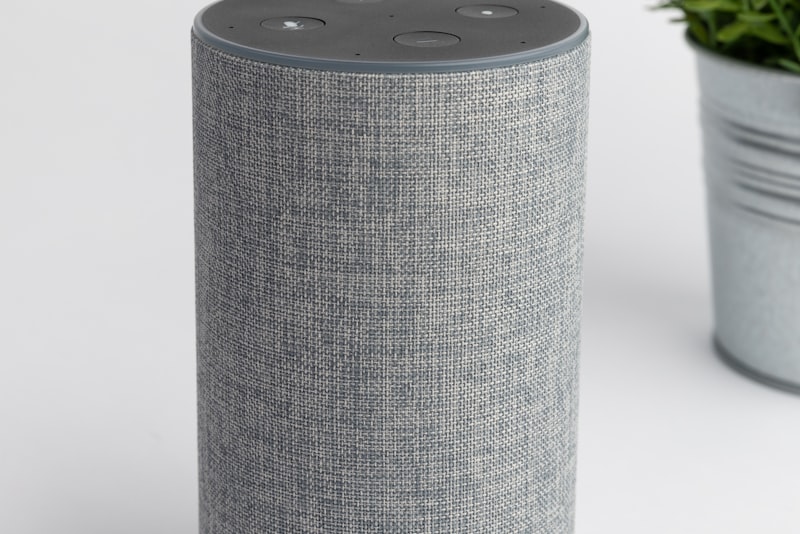
The real test of a smart home isn't the demo where you say "goodnight" and the lights fade. It's the random Tuesday when your ISP has a regional outage and you're standing in a dark hallway asking why the switch on the wall does nothing. I've built and rebuilt my own setup enough times to have a firm opinion here, and it comes down to one question: how much of your house depends on a data center you'll never see?
What "Local Control" Actually Means#
People throw the term around loosely, so let me be precise. Local control means the decision-making happens inside your house, on hardware you own, using a protocol that doesn't need the internet to route a command.
When you press a button and the command travels from the switch to a hub sitting on your shelf to the bulb, all over your own network, that's local. When you press the same button and the signal goes out to your router, across the internet to a manufacturer's cloud, gets processed, and comes back, that's cloud control. Both can feel identical on a good day. They feel very different when the WAN link drops.
A useful mental model: local control is a light switch, cloud control is a phone call to someone who owns the light switch. Most of the time the person answers instantly. But they don't always answer.
The middle ground nobody mentions#
Very few real homes are purely one or the other. My own setup is maybe 80% local, 20% cloud, and I made those splits deliberately. Voice assistants, most video doorbell notifications, and any "if this happens, text me" alert generally need the cloud. The lights, locks, and motion-triggered routines do not. The skill is knowing which bucket each device falls into before you buy it, not after.
Why the Cloud Creeps Into Everything#
Manufacturers love the cloud, and not purely out of malice. It's genuinely easier to ship a cheap Wi-Fi plug that phones home than to support a local API. The cloud lets them push firmware, gate features behind subscriptions, and give you an app that works identically whether you're on the couch or in another country.
The trouble is that this convenience quietly becomes a dependency. A few patterns I see constantly:
- A Wi-Fi bulb that technically joins your network but still routes every on/off command through the vendor's servers.
- A "works with Alexa" badge that only means it works when Alexa's cloud can reach the vendor's cloud — two clouds, two failure points.
- Automations you built inside a phone app that turn out to execute on the vendor's servers, not your hub, so they silently stop during an outage.
None of this is obvious at purchase time. The box says "smart," the app connects in ninety seconds, and you don't learn the truth until the day the internet is down and half your routines are dead.
The Outage Test: What Actually Keeps Working#
Here's the honest breakdown from living with this stuff. When your internet goes out but your home network and power stay up:
Usually keeps working
- Zigbee and Z-Wave devices bound to a local hub
- Thread devices with a local controller and Matter
- Physical wired switches and relays
- Automations that run entirely on a local controller like Home Assistant or a Hubitat-class hub
Usually stops working
- Voice assistants (they need the cloud to interpret speech)
- Wi-Fi devices that route through a vendor cloud
- Remote access from your phone when you're away
- Push notifications and anything that emails or texts you
- Third-party integrations that bridge two cloud services
The pattern is clear once you see it: anything that has to leave your house to make a decision is fragile. Anything that decides at home is robust.
A caveat about power#
I keep saying "if your network and power stay up," and that matters. A lot of local setups still die in a full power outage because the hub, the router, and the mesh nodes all go dark. If reliability genuinely matters to you, a small UPS on your router and hub is worth more than another smart bulb. I run my core hub and network gear on a modest battery backup, and it has carried me through more than one brief neighborhood outage without a single automation missing a beat.
Protocols Are the Quiet Deciding Factor#
The debate is really a protocol debate wearing a costume. The radio a device speaks tells you almost everything about its outage behavior.
- Zigbee — Mesh, local by design. Bound to a local hub, it doesn't care about the internet at all. Excellent for lights and sensors.
- Z-Wave — Similar story, lower bandwidth, historically very reliable for locks and switches. Local when paired to a local controller.
- Thread + Matter — The newer path. Thread is a local mesh; Matter is the language on top. A local Matter controller means local operation. This is the direction I'd bet on for new buys.
- Wi-Fi — The wildcard. Some Wi-Fi devices are fully local; many are cloud-tethered by default. You cannot assume either way.
If a device speaks Zigbee, Z-Wave, or Thread and you pair it to a controller that lives in your house, you've already won most of the reliability battle. Wi-Fi is where you have to read the fine print.
Where Cloud Is Genuinely the Right Call#
I don't want to paint the cloud as the villain, because there are jobs it does better than anything local.
- Remote access. Checking a camera while you're on vacation fundamentally needs a path in from the outside. That's cloud territory, and that's fine.
- Voice control. Real natural-language understanding is a cloud workload for now. A local wake word can trigger a local routine, but rich conversation isn't happening on a hub.
- Rich notifications. Getting a phone alert with a snapshot when someone's at the door is a cloud feature, and a genuinely valuable one.
- Cross-vendor glue. When you want two unrelated brands to cooperate, a cloud integration is often the only bridge that exists.
The mistake isn't using the cloud. The mistake is letting the cloud handle something that should never have left the house — like whether your front door unlocks.
How I'd Actually Design It#
If I were starting your house from scratch, here's the priority order I'd use.
Keep the critical stuff fully local#
Locks, garage doors, essential lighting, and any safety-adjacent automation go on a local protocol with a local controller. No exceptions. You never want to be locked out because a server three states away is having a bad night. Test this deliberately: unplug your internet — not your power, just the WAN — and walk the house. Whatever still works is your real, dependable smart home.
Let convenience features live in the cloud#
Voice, remote viewing, and away-from-home alerts can lean on the cloud, because their failure is an inconvenience, not a crisis. If Alexa is down, you flip a switch. Annoying, not dangerous.
Prefer a controller you own#
A local hub — Home Assistant, Hubitat, or a strong Matter controller — is the single biggest reliability upgrade you can make. It moves the decision-making inside your walls. Even devices that also talk to a cloud can often be driven locally through such a hub, giving you a fallback path that survives an outage.
Write down which is which#
This sounds boring but it's the step people skip. Keep a short note of every device and whether its automations run local or cloud. When something breaks, you'll know in ten seconds whether to check your router or the vendor's status page instead of guessing in the dark.
A Realistic Middle Path#
Most readers won't rip out their Wi-Fi plugs and go all-local overnight, and you don't have to. The pragmatic move is to sort your house into two tiers. Tier one is the stuff that must never fail: put it on local protocols and a local controller. Tier two is everything that's merely nice: let it live wherever it's easiest, cloud included.
Over time, as devices age out and you replace them, quietly bias every new purchase toward local-capable gear — Zigbee, Z-Wave, or Thread with Matter. You'll wake up a couple of years later with a home that mostly shrugs off outages, without ever having done a big disruptive migration.
The Bottom Line#
A smart home that only works when the internet works isn't really automating your house — it's renting convenience that can be switched off without warning. Keep the things that matter (locks, core lights, safety routines) local and on hardware you own, and let the cloud handle the extras where its strengths actually shine. Do that split thoughtfully, put a small battery backup under your hub and router, and the next outage becomes a non-event: the lights still respond, the door still locks, and you barely notice the wider internet is down. That, more than any single gadget, is what a mature smart home looks like.