I have installed, broken, and rebuilt more automations than I care to admit, and I have learned one hard truth along the way: most of them are novelties you disable within a week. The ones that survive are boring. They do a small, repetitive job so reliably that you stop noticing them, and that is exactly the point. Below are seven automations that have earned a permanent spot in my own house, along with the caveats I wish someone had told me before I set them up.
1. Auto-Locking Doors on a Timer#
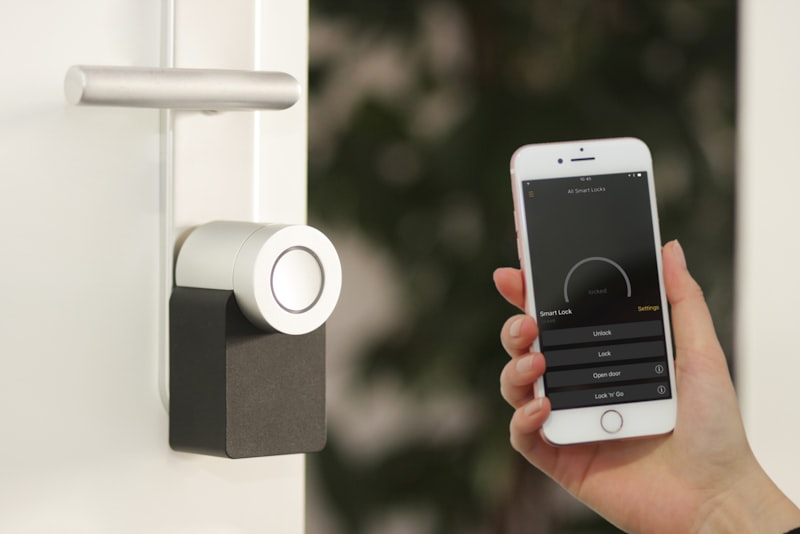
The single automation I would keep if I could only have one is a smart lock that relocks itself after a set delay. Not on a schedule, not tied to bedtime, just a plain rule: if the door has been unlocked for more than three minutes and is currently closed, lock it.
This ends the nightly ritual of padding downstairs to check the front door. It also covers the far more common failure, the middle-of-the-afternoon door that someone left unlocked after bringing in groceries.
A few things I learned the hard way:
- Require the door to be closed before locking. If your lock has a door sensor or you can pair a contact sensor, use it. A deadbolt throwing into an open door frame will jam the motor and eventually strip the gears.
- Three to five minutes is the sweet spot. Shorter and it locks while you are hauling in the last bag. Longer and it stops feeling like security.
- Keep a physical key. Every smart lock I have owned has eventually had a dead battery or a firmware sulk at the worst moment.
2. Presence-Based Lighting That Actually Behaves#
Motion-activated lights are the automation everyone tries first and abandons fastest, usually because the lights snap off while you are sitting still on the couch. The fix is not more sensors, it is smarter conditions.
Get the timeout and the daylight right#
Two settings make or break this:
- Long enough off-delay. For hallways and closets, 90 seconds is fine. For any room where people sit, push it to five or ten minutes, or the lights will betray you mid-conversation.
- A lux condition. Only trigger the lights when the room is actually dark. Otherwise you waste energy switching on bulbs at noon and the automation feels dumb.
Where it earns its keep#
Presence lighting pays off most in the transition spaces, the ones where you always have your hands full or your attention elsewhere:
- Entryways and mudrooms when you walk in carrying things
- Stairwells, where fumbling for a switch is genuinely a safety issue
- Pantries and closets, the classic "why is this light always left on" spots
I do not recommend it for living rooms or bedrooms as the primary control. Those rooms need manual override that wins every time, because the whole family will resent a room that plunges into darkness on the sensor's schedule.
3. A Morning Routine That Stages the House#
A good morning automation does not try to run your life. It just removes the ten small frictions between the alarm and the front door. Mine fires on weekday mornings and handles a short, staged sequence:
- Bedroom lights fade up slowly over a couple of minutes rather than blasting on
- Blinds or shades open once there is daylight worth letting in
- The kitchen lights come on at a warm, low level
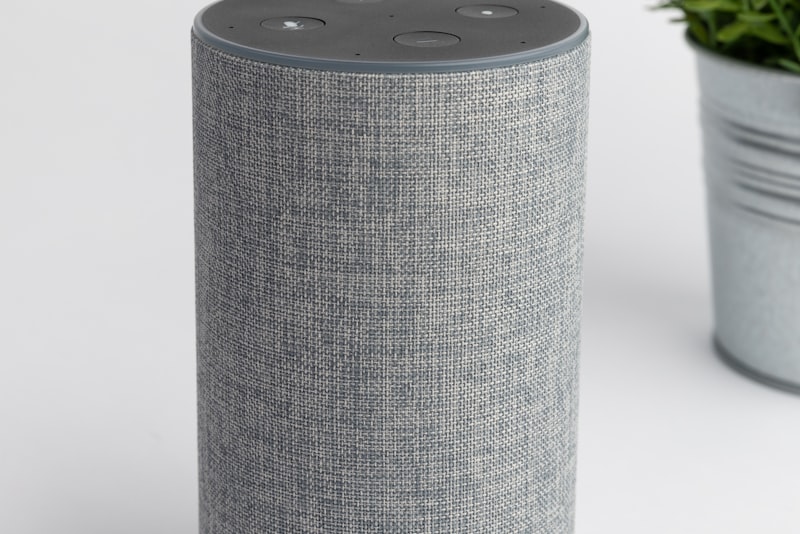
- A brief news or weather briefing plays on the kitchen speaker
The key word is staged. Everything happening at once is jarring. I spread the sequence across roughly fifteen minutes so the house wakes up in the same order I do.
Caveat worth stating plainly: tie this to a real alarm or a manual trigger, not just a fixed clock time. A rigid 6:40 routine will happily open your blinds and start the news on the one morning you are trying to sleep in, and few things sour a household on automation faster.
4. Away Mode in a Single Tap#
Leaving the house involves the same checklist every time, so it is a perfect candidate to collapse into one action. My away routine is triggered either by a button near the door or by everyone's phones leaving the geofence, and it does four things:
- Arms the security cameras and any motion alerts
- Drops the thermostat into an eco setback, warmer in summer, cooler in winter
- Turns off the lights that get left on in a rush
- Confirms the doors are locked, and locks any that are not
I run both, and I trust the button more. Geofencing is convenient but flaky: one phone with aggressive battery saving, one person who stays home, and the geofence either fails to arm or disarms when it should not. My rule is that the button is authoritative and geofence is a backstop that only tightens security, never loosens it. If you let a phone crossing a line disarm your cameras, you have built a system that unlocks itself for anyone carrying the right phone, or that disarms the moment a location update lags.
5. Goodnight, Handled by the Bed#
The bedtime automation is a cousin of away mode, and it removes the same kind of end-of-day cognitive load. One trigger, whether a button on the nightstand, a voice command, or a smart-button under the bed, and the house settles:
- Downstairs lights turn off
- Doors confirm locked
- Thermostat shifts to the overnight setpoint
- A single nightlight-level path stays lit to the bathroom
That last detail matters more than it sounds. Leave one dim light or a low motion-triggered floor light on the nighttime path. A fully dark house is not a feature at 3 a.m. This is one of those small touches that separates an automation you tolerate from one the whole household actually likes.
6. Humidity-Triggered Bathroom and Laundry Fans#
This one is invisible and I love it for that. A humidity sensor in the bathroom runs the exhaust fan whenever moisture spikes, then keeps it going a few minutes after the shower stops and switches off on its own.
The benefits stack up quietly over time:
- No more fan left running for hours after someone forgot it
- Less mildew in the grout and on the ceiling, which is a real maintenance saver
- The fan actually runs when it is needed, even by the family members who never touch the switch
The trade-off is calibration. Set the humidity threshold too low and the fan kicks on every time the room warms up slightly. I tuned mine by watching the sensor's readings for a week, noting the normal baseline versus the post-shower spike, and setting the trigger comfortably between the two. Budget a few days of adjustment before it feels right.
7. Vacation Presence Simulation#
The last one saves time in a different sense: it saves you the fiddly, manual work of "making the house look lived in" before a trip. Instead of leaving a single lamp on a cheap mechanical timer, a presence-simulation routine cycles lights in a believable, slightly randomized pattern across the evening.
Good simulation is about irregularity:
- Lights come on around dusk using sunset offsets, not a fixed clock, so the pattern drifts naturally with the season
- Different rooms light up on different nights rather than the identical loop every evening
- The pattern favors the rooms a person actually uses in the evening, living room and kitchen, not the whole house at once
Be honest with yourself about what this does. It is a mild deterrent, not a security system, and it works best paired with the away-mode camera arming from earlier. What it genuinely saves is the pre-trip scramble and the low-grade worry, and that is worth the twenty minutes it takes to set up once.
How to Roll These Out Without Regret#
If you are starting from scratch, do not build all seven this weekend. The fastest way to sour on home automation is to flood the house with half-tuned rules that misfire while you are still learning the platform. My advice:
- Start with auto-lock and away mode. They deliver the clearest daily payoff and are hard to get wrong.
- Live with each automation for a week before adding the next. You will discover the timeout that is too short or the trigger that fires at the wrong moment only by using it.
- Always leave a manual override that wins. Every automation above should be something a person can instantly countermand with a physical switch or a phone. The day a housemate feels fought by the house is the day the whole project loses its goodwill.
None of these are flashy. You will not show them off to guests. But add up the door checks you no longer make, the fans you no longer think about, and the ten-friction mornings that now handle themselves, and you land on the only metric that matters: a house that quietly gives you back a few minutes and a little attention every single day.